
Digital Microscopes by Station: USB Bench, Handheld and Wi-Fi Viewing
When people think of a microscope, large laboratory optical instruments often come to mind first. In electronics repair, surface inspection, teaching and retail demonstrations, however, the tools in regular use are smaller digital microscopes: magnified images shown on a screen, paired with illumination and a stand for close-up observation. Selecting these devices is not a matter of headline magnification alone. The bigger questions are the inspection workstation, working distance, illumination, where the image is displayed, and whether images need to be stored. By usage, they broadly split into bench USB units, handheld units with a built-in screen, and wireless screen-sharing units.
Start with the inspection station, then magnification
Fixed-bench repair and inspection usually need a stable viewing angle and an external large screen to compare solder joints, pins and material surfaces repeatedly. Field patrol or off-site teaching asks for a device that works independently without another host. When a salon shows scalp, skin or small-part details to a customer, the priority is sending the image to a phone or tablet for communication and record keeping. Working distance determines how close the lens should sit to the object, depth of field affects whether uneven surfaces stay in focus, and adjustable lighting governs how reflective surfaces and dark details come across. Once these conditions are clear, comparing resolution and magnification becomes far less likely to go off track.
How the three device types divide up
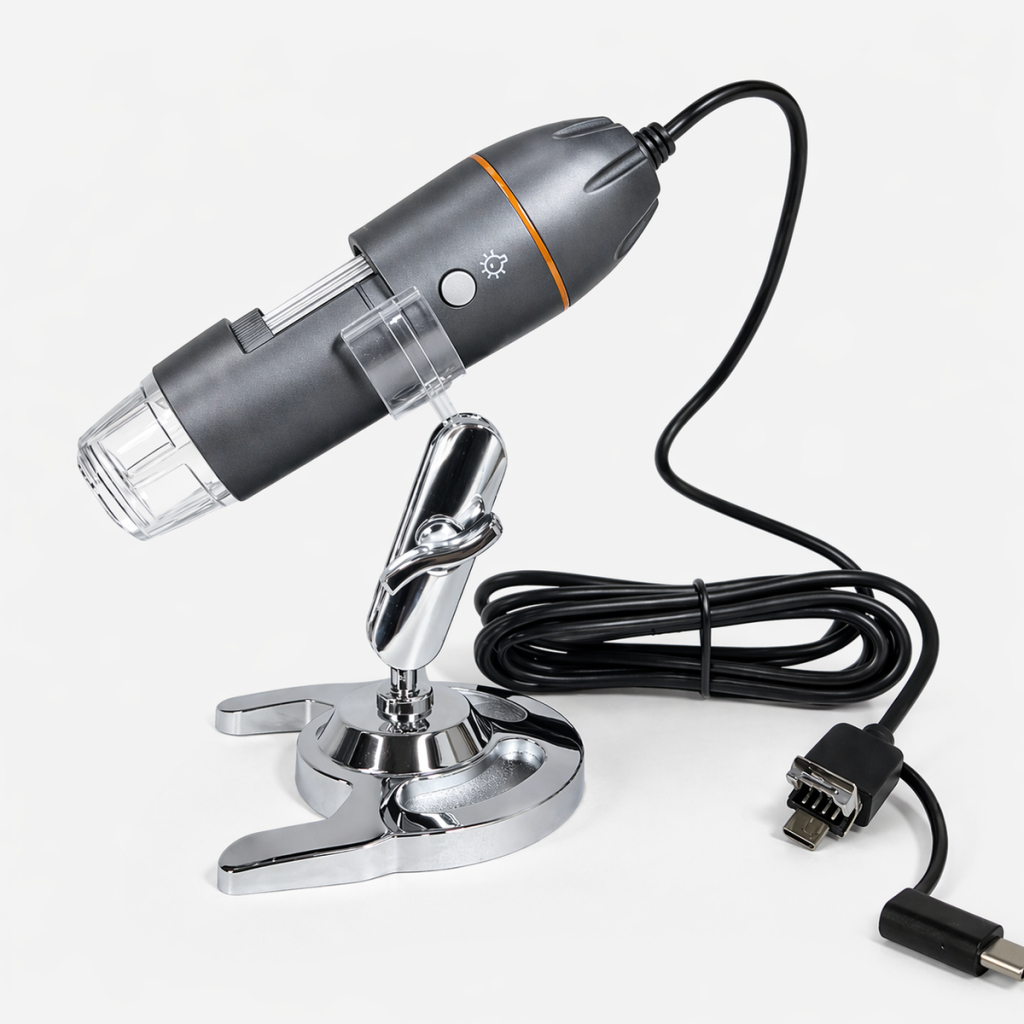
A USB unit centers on a fixed stand and external host, with the image going to a computer screen for long, repeated comparison at the bench. A handheld unit packs screen, battery and lighting into one body for on-the-move viewing where no external device is convenient. A wireless unit sends magnified images to a phone or tablet over Wi-Fi, leaning toward display and communication, and some keep a USB connection as a backup. The three share similar sensors and lighting; the main differences are connection method, display carrier and use case.
| Type | Typical scene | Connection and display notes |
|---|---|---|
| Bench USB unit | Bench repair, PCB inspection, surface observation | Fixed stand angle, USB to PC, repeated comparison on a large screen |
| Handheld with screen | Field patrol, teaching, portable inspection | Built-in screen and battery, standalone viewing, card storage |
| Wireless screen-sharing | Salon display, care consultation, mobile demo | Wi-Fi to phone or tablet, USB connection may be retained |
Points easy to miss when checking specs
Resolution sets the upper limit on fine detail, but on reflective metal and dark components, adjustable lighting often affects the image more than piling up pixels. The focus range must cover the actual observation distance; too close or too far and the target slips out of focus. Connection should match existing equipment: confirm the connector form and OS compatibility for USB units, and the supported phone systems and transmission stability for wireless units. For record-keeping, check image storage, export format and card requirements. For integration or customization projects, working distance, illumination, depth of field and target host should be validated together at the prototype stage.
Supply-side reference
On the small imaging equipment side, Joyhonest in Longhua, Shenzhen, offers digital microscopes, camera modules and customizable imaging products. The ST-301S 5 MP USB Inspection Microscope pairs adjustable LED lighting with a metal stand for bench inspection of solder joints and fine surfaces, connecting to a computer over USB. The Joyhonest W2 Handheld LCD Digital Microscope carries a 2-inch LCD, built-in battery and lighting for mobile surface inspection, teaching and portable repair, with images stored on a microSD card. The W1-A Wireless Scalp Microscope sends magnified scalp and skin images to a mobile device for salons and care demonstrations, while keeping USB connectivity.
Overall, small digital microscopes should be chosen around the workstation and observation object: fixed benches favor a stable stand with an external-screen USB unit; mobile use calls for a handheld unit that works on its own screen; display and communication scenarios suit a wireless screen-sharing unit. It is worth comparing prototypes with the actual object, real lighting and expected working distance in hand, then confirming connection, storage and OS compatibility, rather than ordering on headline magnification alone.
Comments
No comments yet. Be the first to comment.